JavaScript Map plugin
Embed an interactive Yatmo map on any page with a single config object and one script tag.
Live demo
Try it: pan around, click a point of interest, change the basemap style.
Hello world
<div id="map"></div>

<script>
    yatmoConfig = {
        licenseKey: 'xxxxxxxxxxxxxxxxxx',
        language: 'EN',
        country: 'BE',
        container: 'map',
        center: [4.3442926, 50.8510525],
        zoom: 16,
        routeFrom: { latitude: 50.8510525, longitude: 4.3442926 },
        mapStyle: 1,
        fullScreenButton: true,
        userAddresses: {
            userId: 'userId',
            startingLatitude: 50.8520525,
            startingLongitude: 4.3442926
        },
        isochrone: { latitude: 50.8510525, longitude: 4.3442926 }
    };
    function LoadMap(map) {
        new mapboxgl.Marker({ color: 'red' }).setLngLat(map.getCenter()).addTo(map);
    }
</script>
<script src="https://map.yatmo.com/map_v3.js"></script>
Things to know
The map is built on Mapbox GL JS (currently v1.11.0), but Yatmo hosts its own tiles — the data is ours, not Mapbox’s. You can customize the map (draw a circle, add layers, etc.) via the Mapbox GL JS API, but the basemap style is fixed (one of the seven Yatmo styles).
Your CSS may interfere
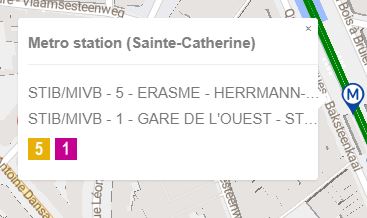
Site stylesheets can break the “info window” that opens when a visitor clicks a pin. Expect to ship a small CSS override if the default rendering clashes with your theme.
If you want full control over rendering (custom marker icons, your own map library, your own UI), call the API directly instead — see REST API.
The names yatmoConfig (object) and LoadMap (function) are fixed — the plugin looks for them by name.
Required parameters
| Name | In | Type | Description |
|---|---|---|---|
| licenseKey required | config | string | Your Yatmo frontend key — the one safe to embed in HTML. See License & keys. |
| country | config | string | Country ISO code; used for region-specific POI filtering. |
| language required | config | string | Language ISO code (used for POI tooltips and info-window titles). See Countries & languages for what's supported. |
| container required | config | string | Id of the DIV where the map should render (e.g. "map"). |
| center required | config | [number, number] | Initial center as [longitude, latitude]. |
| zoom required | config | integer | Initial zoom level, 1 (world) to 24 (street). |
Optional parameters
| Name | In | Type | Description |
|---|---|---|---|
| routeFrom | config | { latitude, longitude } | Origin for route + travel-time to clicked POIs. |
| hideRouteFrom | config | boolean |
With routeFrom: keep the travel times on clicked POIs but hide the address field panel.
|
| mapStyle | config | integer 1-7 |
Basemap style. Try the dropdown above the demo map to compare.
Default: 1. |
| fullScreenButton | config | boolean |
Show a full-screen toggle button on the map.
Default: true. |
| userAddresses | config | { userId, startingLatitude, startingLongitude } | Let visitors save personal addresses (home, work) and see commute distances. |
| isochrone | config | { latitude, longitude } | Show 5 / 10 / 20 minute travel-time polygons around a point. |
Real estate map API
The four integration routes compared, and what the map carries. Read more on yatmo.com.