WordPress Map plugin
Drop a Yatmo map onto any WordPress page or post with the [yatmo-map] shortcode — no JavaScript, no theme changes.
Install
The plugin is on the official WordPress directory: wordpress.org/plugins/yatmo-map/. Install it like any other plugin, then enter your Yatmo license key in the plugin settings page.
Once installed, use [yatmo-map] and [yatmo-marker] in your pages or posts. See examples below.
Use your frontend key
WordPress plugins use your frontend Yatmo key — the one Yatmo locks to your domains. Don’t put your backend key in the WordPress plugin settings. See License & keys.
Examples
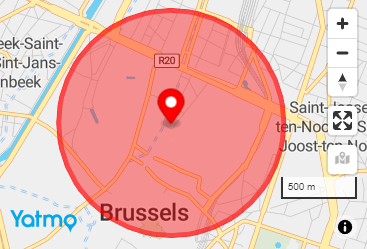
[yatmo-map address="Rue de la Loi 16, 1000 Bruxelles"]
[yatmo-marker address="Rue de la Loi 16, 1000 Bruxelles"]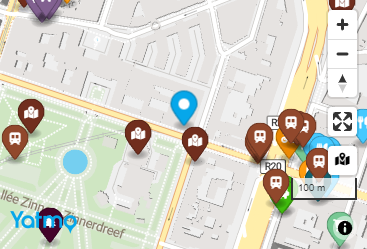
[yatmo-map lat=50.846714 lng=4.352514 zoom=16 language=FR]
[yatmo-marker lat=50.846714 lng=4.352514 color=#06A7EA]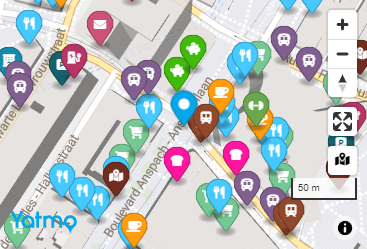
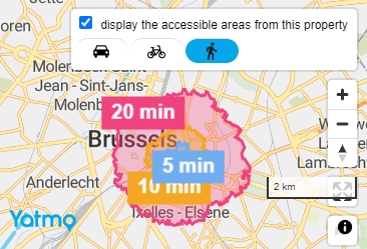
[yatmo-map address="Rue de la Loi 16, 1000 Bruxelles" enable_isochrone=1]The enable_isochrone option draws 5 / 10 / 20-minute travel-time polygons around the property. See Isochrones.
[yatmo-map lat=50.846714 lng=4.352514 enable_pois=0 height=600px width=100% style=2]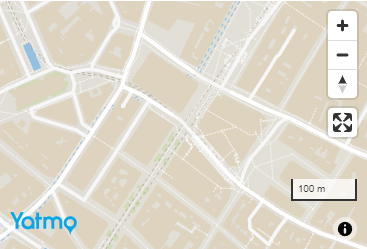
[yatmo-map lat=50.846714 lng=4.352514]
[yatmo-marker lat=50.846714 lng=4.352514 title="Hello world" popuptextcontent="Lorem ipsum dolor sit amet, consectetur adipiscing elit."]
[yatmo-marker lat=50.784574 lng=4.254787 title="Hello planet" popuphtmlcontent="<h3>Hello planet!</h3><p>Lorem ipsum dolor sit amet, consectetur adipiscing elit.</p>"]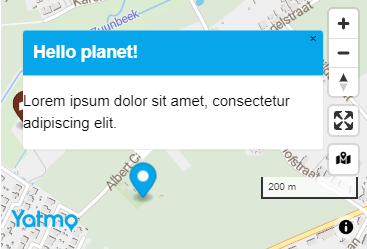
[yatmo-map lat=50.846714 lng=4.352514 zoom=17]
[yatmo-marker lat=50.846714 lng=4.352514 iconurl="https://yatmobeprod.blob.core.windows.net/samples/markerorange.png" iconwidth=32 iconheight=45]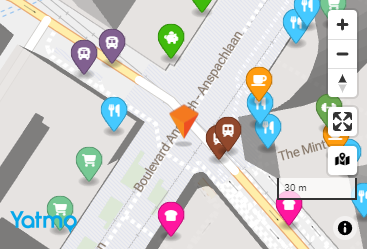
[yatmo-map lat=50.846714 lng=4.352514]
[yatmo-marker lat=50.846714 lng=4.352514 anonymous=1 color=red]