Full-screen mode
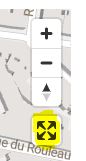
Add a full-screen toggle button to the map so visitors can pop it out to fill the browser window.
What it does
Renders a small icon button in the corner of the map. Click it to enter full-screen; click again (or press Esc) to return to the embedded view.
How to enable
It’s on by default. To turn it off, set fullScreenButton: false in your yatmoConfig:
yatmoConfig = {
    licenseKey: '...',
    language: 'EN',
    container: 'map',
    center: [4.3442926, 50.8520525],
    zoom: 16,
    fullScreenButton: false   // hide the toggle button
};
Iframe maps?
The iframe map ships with full-screen always available (via the
allowfullscreen attribute on the <iframe> itself). No additional config needed.